Creating a Pull Request
How to create a pull request and get it merged by Epic
Assuming you have a code change which you want to make to the Unreal Engine source code, this is the process for creating a pull request on the Epic Games Unreal git repository and getting it merged.
Forking
You need a fork of the Unreal repository so follow the instructions here to fork the Unreal repository and then clone the fork to your local machine.
You need to clone your fork, not the Epic Game repo.
I have forked https://github.com/EpicGames/UnrealEngine to https://github.com/JohnJFarrow/UnrealEngine and then cloned https://github.com/JohnJFarrow/UnrealEngine into the directory d:\EpicSource\myfork\UnrealEngine.
Updating the Fork
The most current branch of the git repository is ue5-main. Assuming you want to create a pull request against the latest code, you need to keep your repository up to date with changes made in the Epic Games repository.
These commands will fetch changes in the Epic Games repository then merge them into your repository:
git fetch upstream
git checkout ue5-main
git merge upstream/ue5-main
Making a branch
A pull request needs its own branch to make it easy to identify and isolate changes.
Make a branch with name relating to the problem you are fixing or the enchancement you are making.
In one case I fixed a null pointer in PCG, so the branch is called "NullPtrPCG". It contains one commit and looks like this:
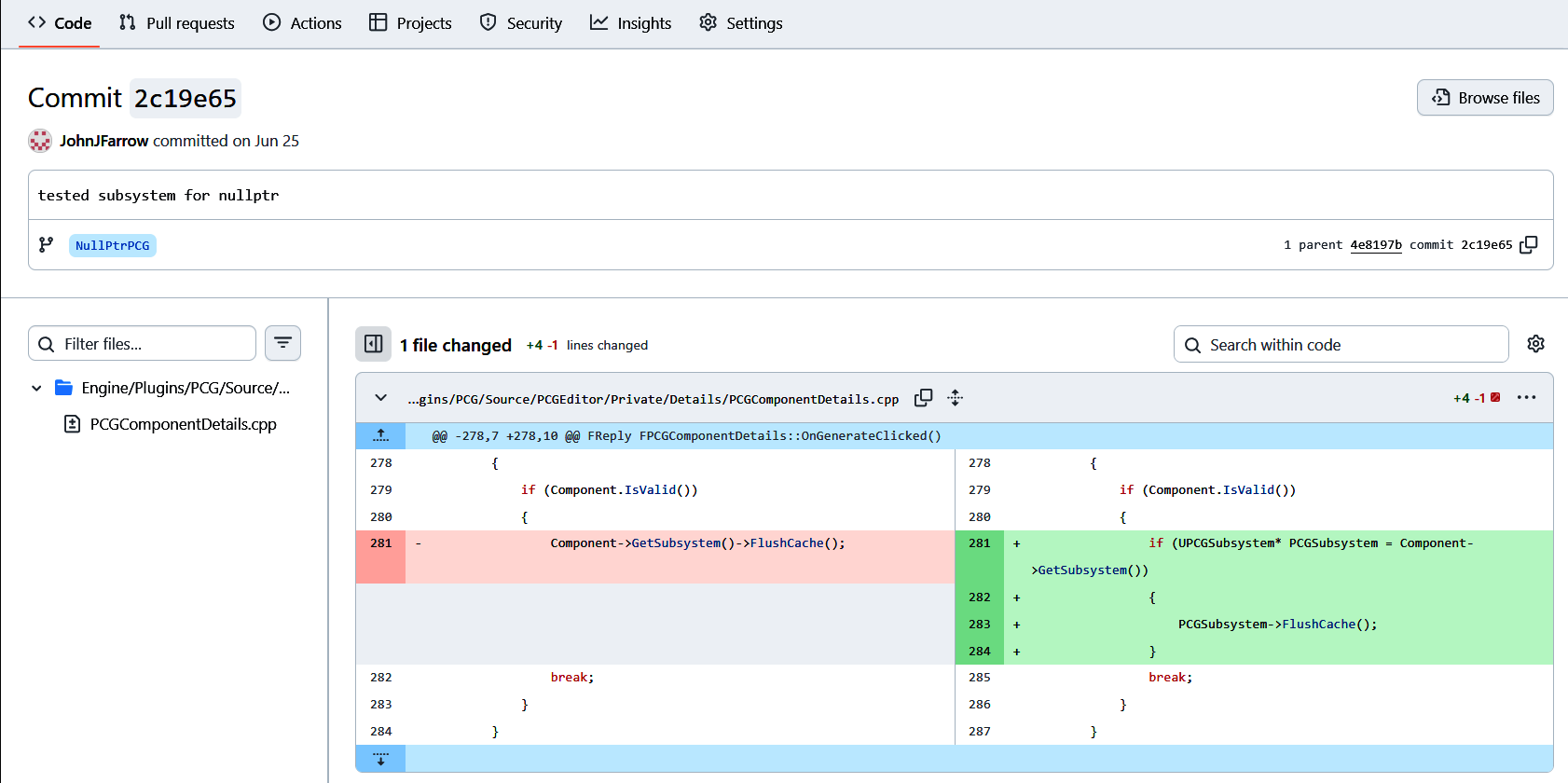
This is a commit on my repository, not the Epic Games once. Creating a pull request is the mechanism to (or attempt to) merge this commit into the Epic Games repository.
Pushing changes
Once you have committed your changes to your branch pull the latest version of ue5-main and make sure everything still builds
Push your changes to your repository.
Making a pull request
Look at your repository in github.com and select your branch.
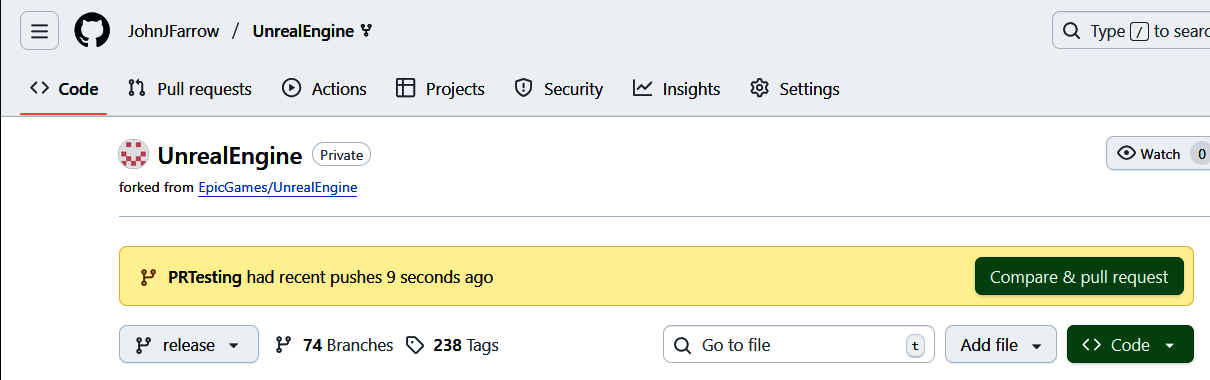
If you have just pushed your branch, you should see a "Compare & pull request" button like this:
Click the button to move to this screen where you complete some details:
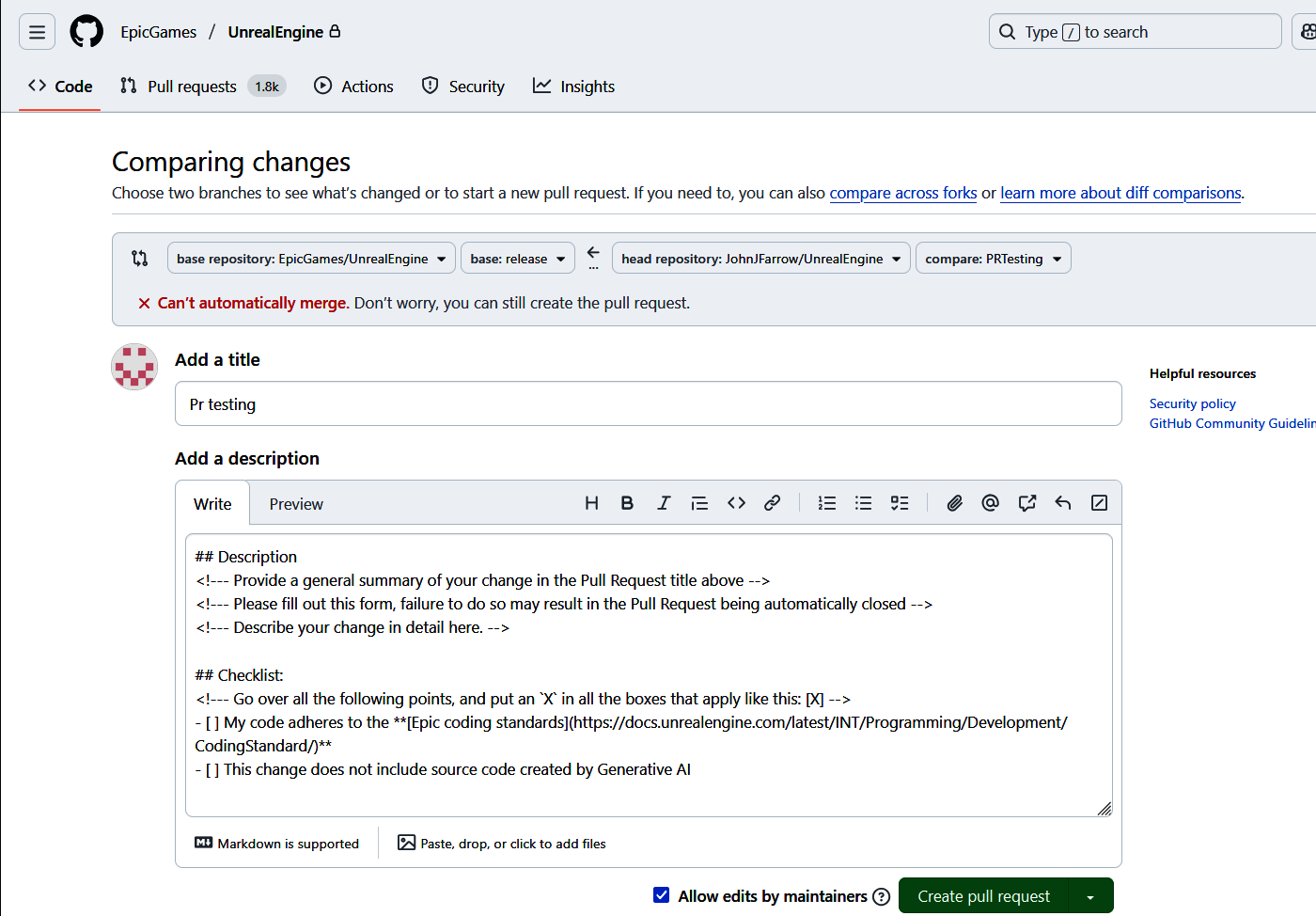
In the "Add a description" box replace these things with actual descriptions:
<\!--- Provide a general summary of your change in the Pull Request title above -->
<\!--- Please fill out this form, failure to do so may result in the Pull Request being automatically closed -->
<\!--- Describe your change in detail here. -->
In this part add a X inside the [] on the two lines:
## Checklist:
<!--- Go over all the following points, and put an `X` in all the boxes that apply like this: [X] -->
- [ ] My code adheres to the **[Epic coding standards](https://docs.unrealengine.com/latest/INT/Programming/Development/CodingStandard/)**
- [ ] This change does not include source code created by Generative AI
If you don't put the X where requested a bot will automatically reject the pull request.
Complete the details and click the "Create Pull Request" button to create the pull request.
Getting Epic to Notice
Someone at Epic Games needs to accept the pull request, or at least notice it and give you some feedback. Without someone doing this is just sits there.
Sometimes this is the hard part. You need to know who to tell to get some attention.
PR 13489 is a PR where I talked to an Epic PCG developer on Discord after I had created the PR, and he accepted and committed the PR.
A counter-example is PR 11689 which has existed since March 2024 without being noticed.
World Fame
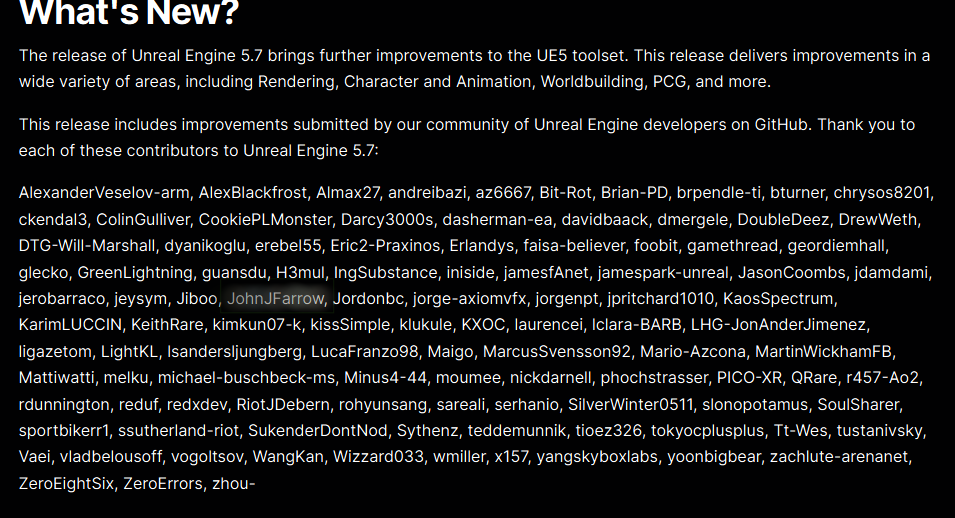
Once you have had a PR accepted eventually you will be mentioned in the next version release notes: