Automatically Updating PCG When a JSON File Changes
Assuming a setup where you read JSON files as part of a PCG graph, this shows how to make the PCG graph update automatically when the JSON file is edited.
Introduction
If we start with these components:
- a JSON file on disk
- a PCG node which reads that JSON file, via a FFilePath property which points to that file
- a PCG graph which includes the JSON reader node
With this configuration, when you edit the JSON file and save it to disk, you need to manually force regeneration of the PCG graph to see any changes.
To make the graph update automatically we need:
- a data asset which wraps the JSON file
- the data asset has:
- the path to the JSON file
- code to detect when the JSON file changes and reload the JSON
- code to notify any watching PCG nodes
- the data asset has:
- a PCG node (the JSON Reader node) which processes the JSON and outputs PCG data into the graph
- the node has:
- a property which references the data asset
- code to track the data asset and listen for changes
- the node has:
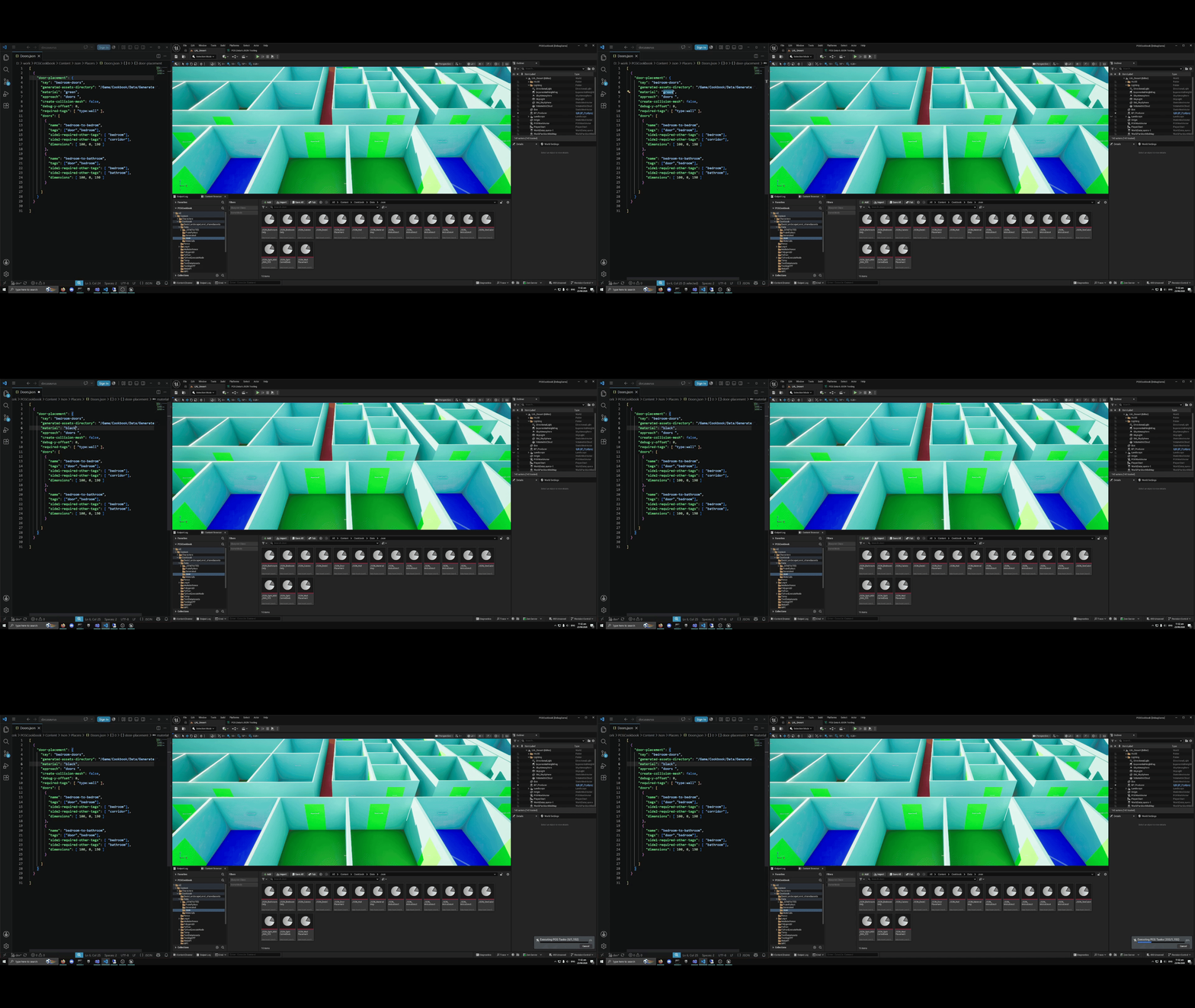
With the addition of these parts, we can save the JSON file and see an immediate update of the PCG graph - in this gif the json file on the left is changed and triggers regeneration of the PCG graph on the right:
Using a Data Asset
This approach uses a JSON asset so that the JSON Reader node has a UObject it can listen for changes to.
The data asset is defined like this:
#include "CoreMinimal.h"
#include "Engine/DataAsset.h"
#include "UObject\SoftObjectPath.h"
#include "IDirectoryWatcher.h"
#include "DirectoryWatcherModule.h"
#include "PCGUCJsonDataAsset.generated.h"

class FJsonObject;
class FJsonValue;

UCLASS()
class SHIPSHAPE_API UJsonDataAsset : public UDataAsset
{
	GENERATED_BODY()

	UJsonDataAsset();

	virtual void PostLoad() override;
	virtual void BeginDestroy() override;

  public:
	UPROPERTY( EditAnywhere, Category = "JSON" )
	FFilePath JsonFilePath;

	const TSharedPtr< FJsonValue >& GetJson();
	uint32 GetHash() const;

  private:
	int32 LoadJson();

  private:
	// Runtime cached data
	TSharedPtr< FJsonValue > CachedJson;

	uint32 Hash32 = 0;

	FDelegateHandle DirectoryWatcherCallbackHandle;
	FString JsonWatcherDirectory;
	FDateTime LastFileChangedTime = {};
	uint32 LastHash = 0; // prevent saving unchanged file from doing anything
};
This contains:
- JsonFilePath, which is the path to JSON file
- Hash32, a hash of the current JSON file contents
- JsonWatcherDirectory, DirectoryWatcherCallbackHandle, used for watching for changes to the directory holding the JSON file
- LastHash, LastFileChangedTime used to detect changes
We hash the contents of the JSON file:
- to detect when the has been saved but not actually changed
- to provide a hash the JSON Reader node can used in CRC calculations
The data asset loads the JSON into memory whenever the file changes, like this:
int32 UJsonDataAsset::LoadJson()
{
	int32 Hash = 0;
	FString JsonString;

	if ( !FFileHelper::LoadFileToString( JsonString, *JsonFilePath.FilePath ) )
	{
		UE_LOG( LogTemp, Error, TEXT( "Failed loading JSON: %s" ), *JsonFilePath.FilePath );
		return Hash;
	}

	TSharedRef< TJsonReader<> > Reader = TJsonReaderFactory<>::Create( JsonString );
	if ( !FJsonSerializer::Deserialize( Reader, CachedJson ) )
	{
		UE_LOG( LogTemp, Error, TEXT( "Invalid JSON: %s" ), *JsonFilePath.FilePath );
		return Hash;
	}

	return GetTypeHash( JsonString );
}
The most important part of the data asset is the code to detect when the file changes on disk:
void UJsonDataAsset::PostLoad()
{
    if ( !JsonFilePath.FilePath.IsEmpty() )
	{
		// register a directory watcher to monitor the file system for json file changes
		if ( IDirectoryWatcher* Watcher =
            FModuleManager::LoadModuleChecked< FDirectoryWatcherModule >( TEXT( "DirectoryWatcher" ) ).Get() )
		{
			JsonWatcherDirectory = FPaths::GetPath( JsonFilePath.FilePath );

			Watcher->RegisterDirectoryChangedCallback_Handle( JsonWatcherDirectory,
															  IDirectoryWatcher::FDirectoryChanged::CreateLambda(
																  [this]( const TArray< FFileChangeData >& Changes )
			{
				const FString FileName = FPaths::GetCleanFilename( JsonFilePath.FilePath );

				for ( const FFileChangeData& Change : Changes )
				{
					if ( ( Change.Action == FFileChangeData::FCA_Modified
                          || Change.Action == FFileChangeData::FCA_Added )
                          && Change.Filename.EndsWith( FileName ) )
					{
						// Change.Timestamp is always 0 for most Actions
						IPlatformFile& PlatformFile = FPlatformFileManager::Get().GetPlatformFile();
						FDateTime LastModified = PlatformFile.GetTimeStamp( *JsonFilePath.FilePath );
						if ( LastModified > LastFileChangedTime )
						{
							// Modify();
							LastFileChangedTime = LastModified;
							Hash32 = LoadJson();
							LL_DBG( "loaded json from {}", JsonFilePath.FilePath );
							if ( Hash32 == LastHash )
							{
								LL_DBG( "file saved but no hash changed {}", JsonFilePath.FilePath );
							}
#if WITH_EDITOR
							else
							{
								LastHash = Hash32;
								PostEditChange(); // this is crucial
							}
#endif
						}
					}
				}
			} ),
															  DirectoryWatcherCallbackHandle );
		}
	}

	Super::PostLoad();
}
Basically, the code above registers a lambda with the directory watcher module. This lambda is called whenever a file in the directory which contains our JSON file is changed. The code:
- checks if it is the file we are watching for
- compares the timestamp to the last know change timestamp; this is required because a single saving of the JSON file might give us up to three calls to the lambda and we don't want to regenerate the PCG graph three times
- uses a hash to check the JSON contents have actually changed
- calls PostEditChange(), which notifies the PCG graph the JSON has changed
Making the PCG graph listen for changes
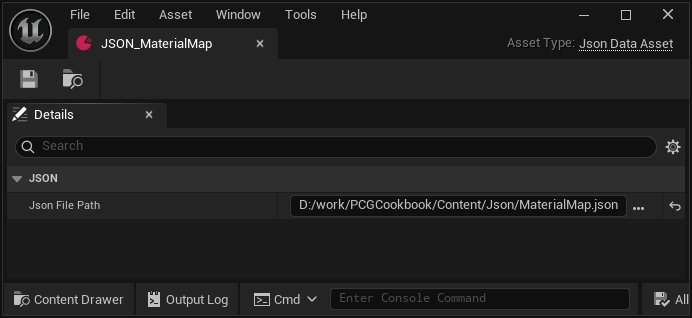
Each JSON file has an associated data asset which is based on the UJsonDataAsset shown above. The
only property in this data asset is the file path to the JSON file:
The JSON Reader node is a PCG node (derived from UPCGSettings). It has a property which refers to the JSON data asset like this:
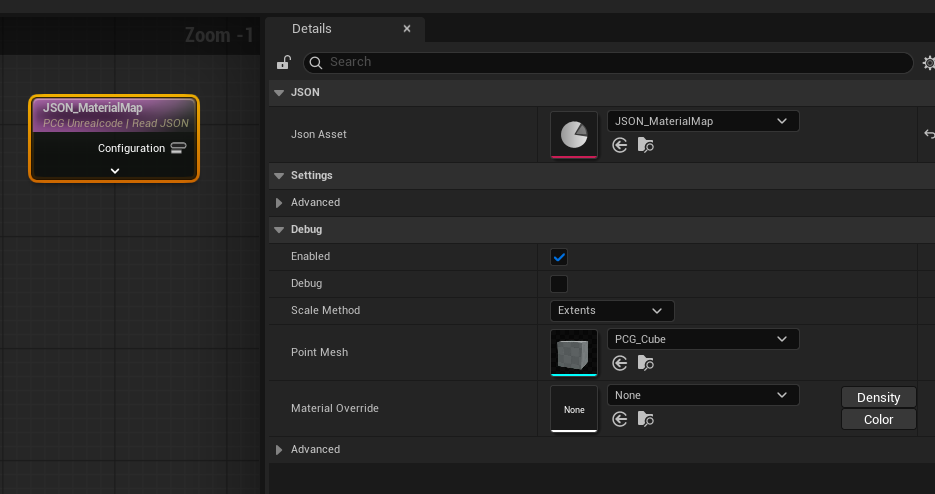
The property is defined like so:
UPROPERTY( BlueprintReadWrite, EditAnywhere, Category = "JSON" )
TSoftObjectPtr< UJsonDataAsset > JsonAsset;
To make the JSON Reader node react to changes in the data asset, it needs support dynamic tracking of changes.
Settings Changes
The node needs to override CanDynamicallyTrackKeys() and return true, like this:
class SOME_API UPCGUCReadJsonElementSettings : public UPCGUCSettingsBase
{
	GENERATED_BODY()

  public:
	UPCGUCReadJsonElementSettings();
	virtual ~UPCGUCReadJsonElementSettings();

  public:

#if WITH_EDITOR
	virtual bool CanDynamicallyTrackKeys() const override
	{
		return true;
	}
#endif
Element Changes
The element created by the node needs to have this code to enable dynamic tracking and to make it track changes to the JSON data asset:
#if WITH_EDITOR
#include "Helpers/PCGDynamicTrackingHelpers.h"
#endif
and ...
bool FPCGUCReadJsonElement::ExecuteInternal( FPCGContext* Context ) const
{
	const UPCGUCReadJsonElementSettings* Settings =
        Context->GetInputSettings< UPCGUCReadJsonElementSettings >();

	FPCGDynamicTrackingHelper DynamicTracking;
	DynamicTracking.EnableAndInitialize( Context );

	FPCGSelectionKey GlobalKey
        = FPCGSelectionKey::CreateFromPath( Settings->JsonAsset.ToSoftObjectPath() );

	DynamicTracking.AddToTracking( MoveTemp( GlobalKey ), /*bIsCulled=*/false );
	DynamicTracking.Finalize( Context );
With the new code in the settings and element classes, when the JSON data asset calls PostEditChange()
the node will be notified and the PCG graph will regenerate.
Internals
The FPCGTrackingManager class tracks changes
to objects which might trigger refreshing PCG executions sources, such
as UPCGComponent. It also handles partitioning.
It has a map of selection keys to sources:
TMap<FPCGSelectionKey, TSet<IPCGGraphExecutionSource*>> AlwaysTrackedKeysToExecutionSourcesMap;
When we call DynamicTracking.AddToTracking in our JSON change tracking code, we add an entry to this map.
When we save the JSON file and call PostEditChange(), the function FPCGTrackingManager::OnObjectChanged()
on the tracking manager is call, via this call stack:
FPCGTrackingManager::OnObjectChanged(const UObject * InObject, const FGuid & InChangeID, const UObject * InOriginatingChangeObject) Line 1440	C++
FPCGTrackingManager::OnObjectPropertyChanged(UObject * InObject, FPropertyChangedEvent & InEvent) Line 1432	C++
Invoke(void(FPCGTrackingManager::*)(UObject *, FPropertyChangedEvent &)) Line 65	C++
UE::Core::Private::Tuple::TTupleBase<TIntegerSequence<unsigned int>>::ApplyAfter(void(FPCGTrackingManager::*)(UObject *, FPropertyChangedEvent &) &) Line 264	C++
TBaseRawMethodDelegateInstance<0,FPCGTrackingManager,void __cdecl(UObject *,FPropertyChangedEvent &),FDefaultDelegateUserPolicy>::ExecuteIfSafe(UObject * <Params_0>, FPropertyChangedEvent & <Params_1>) Line 498	C++
TMulticastDelegateBase<FDefaultDelegateUserPolicy>::Broadcast(UObject *) Line 306	C++
TMulticastDelegate<void __cdecl(UObject *,FPropertyChangedEvent &),FDefaultDelegateUserPolicy>::Broadcast(UObject *) Line 1135	C++
UObject::PostEditChangeProperty(FPropertyChangedEvent & PropertyChangedEvent) Line 557	C++
UObject::PostEditChange() Line 551	C++
FPCGTrackingManager::OnObjectChanged() creates an FPCGChangeHandlerChange object to handle the incoming change
and eventually calls FPCGComponentChangeHandler::HandleChange() which has this code
to make the PCG component as dirty (i.e. needing regeneration):
const bool bOwnerChanged = ...
bool bShouldDirty = bOwnerChanged || ...
if (bShouldDirty)
{
	PCGComponent->DirtyGenerated(CurrentChange->DirtyFlag, /*bDispatchToLocalComponents=*/true);
	CurrentChange->DirtyComponents.Add(PCGComponent);
}